As spoken → as typed
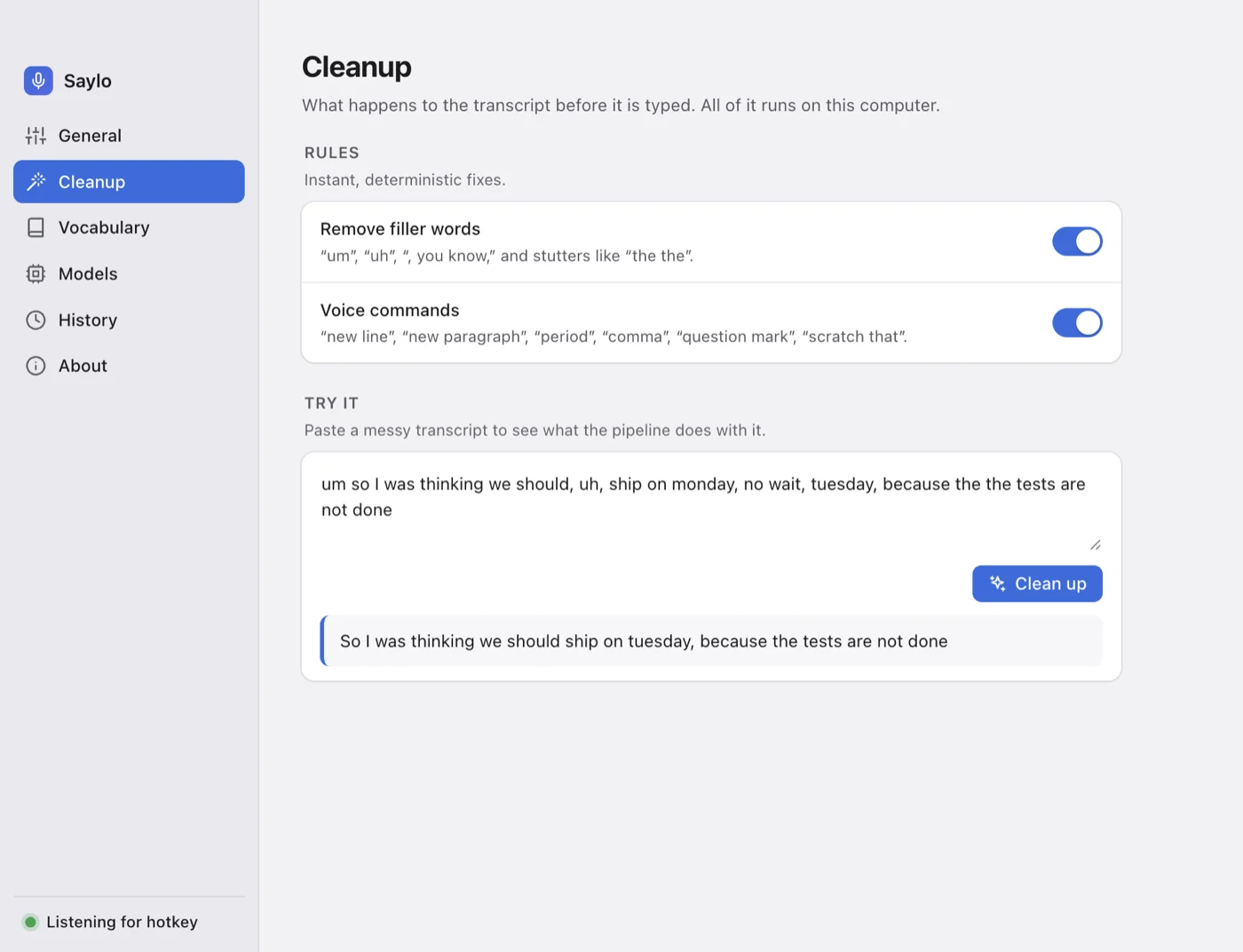
So I was thinking we should, uh, ship on Monday, no wait, Tuesday, because the the tests are not done.
removed by Saylo, on your computer, before anything is typed
Voice dictation for Mac and Windows. Hold a key, speak, let go. The finished sentence appears in whatever app you’re using — with the “ums” removed and your corrections applied. It all runs on your own computer.
Free · macOS 12+ and Windows 10/11 · No account
Is standup still at 10 tomorrow?
Can we move the standup to 11 tomorrow?
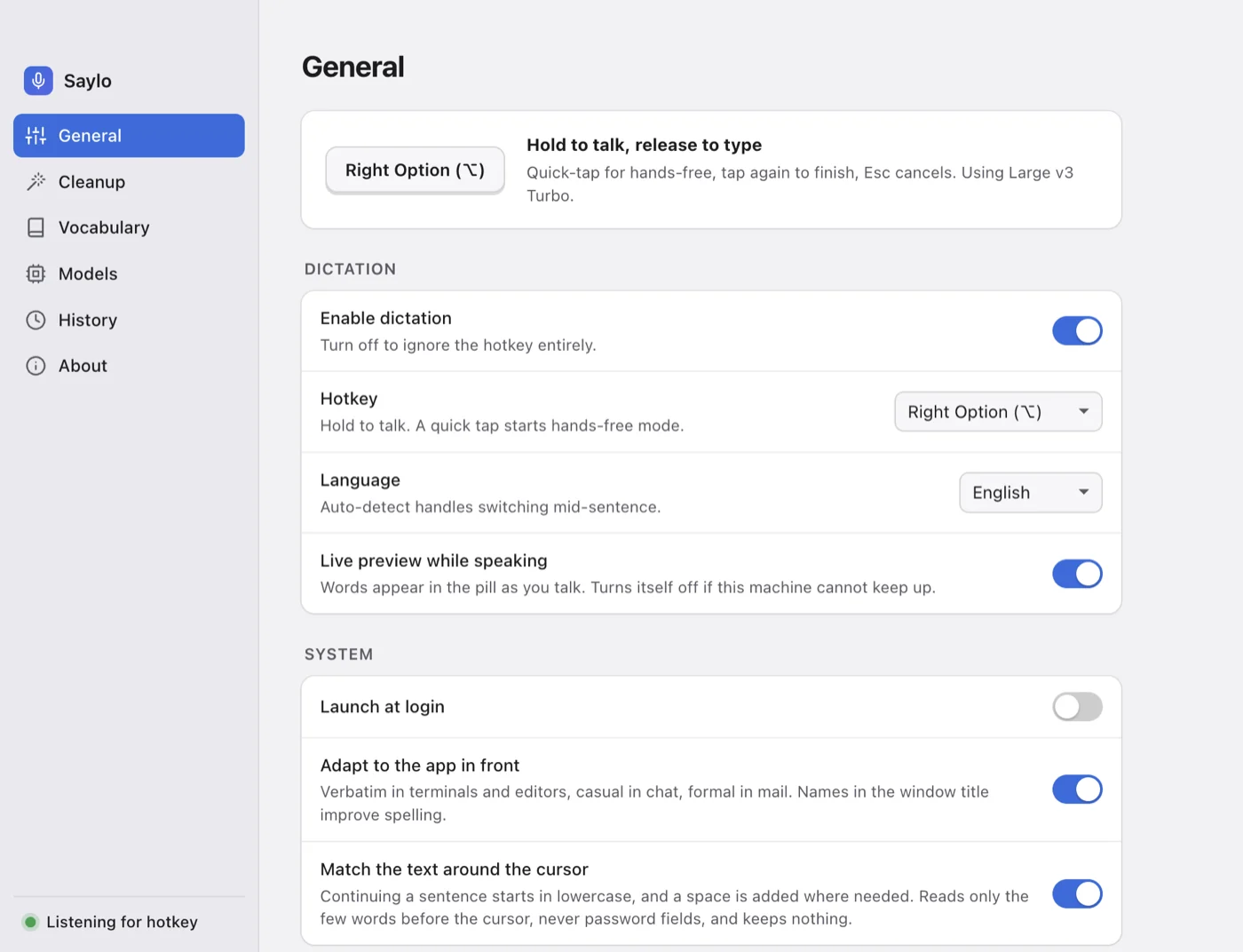
Press and hold Right Option (Right Alt on Windows) anywhere. A small pill appears so you know Saylo is listening.
Talk naturally. Your words appear in the pill while you speak, so you know it heard you.
Release the key and the clean sentence is typed where your cursor is.
Prefer hands-free? Tap the key once to start and again to finish. Press Esc to cancel.
Nobody speaks in clean prose. Saylo tidies the transcript on your computer, in a fraction of a second, before a single character is typed.
So I was thinking we should, uh, ship on Monday, no wait, Tuesday, because the the tests are not done.
“Um”, “uh”, “you know” and stutters like “the the” never reach the page.
Say “Friday, actually Thursday” or “scratch that”, and only what you meant is typed.
Speech recognition runs on your computer. Turn Wi-Fi off and keep dictating.
Punctuation is added for you. Or say it: “new line”, “new paragraph”, “comma”, “question mark”.
Breaks are added at sentence ends in long dictations — never in chat apps, terminals or code editors.
Words appear in the pill while you’re still talking.
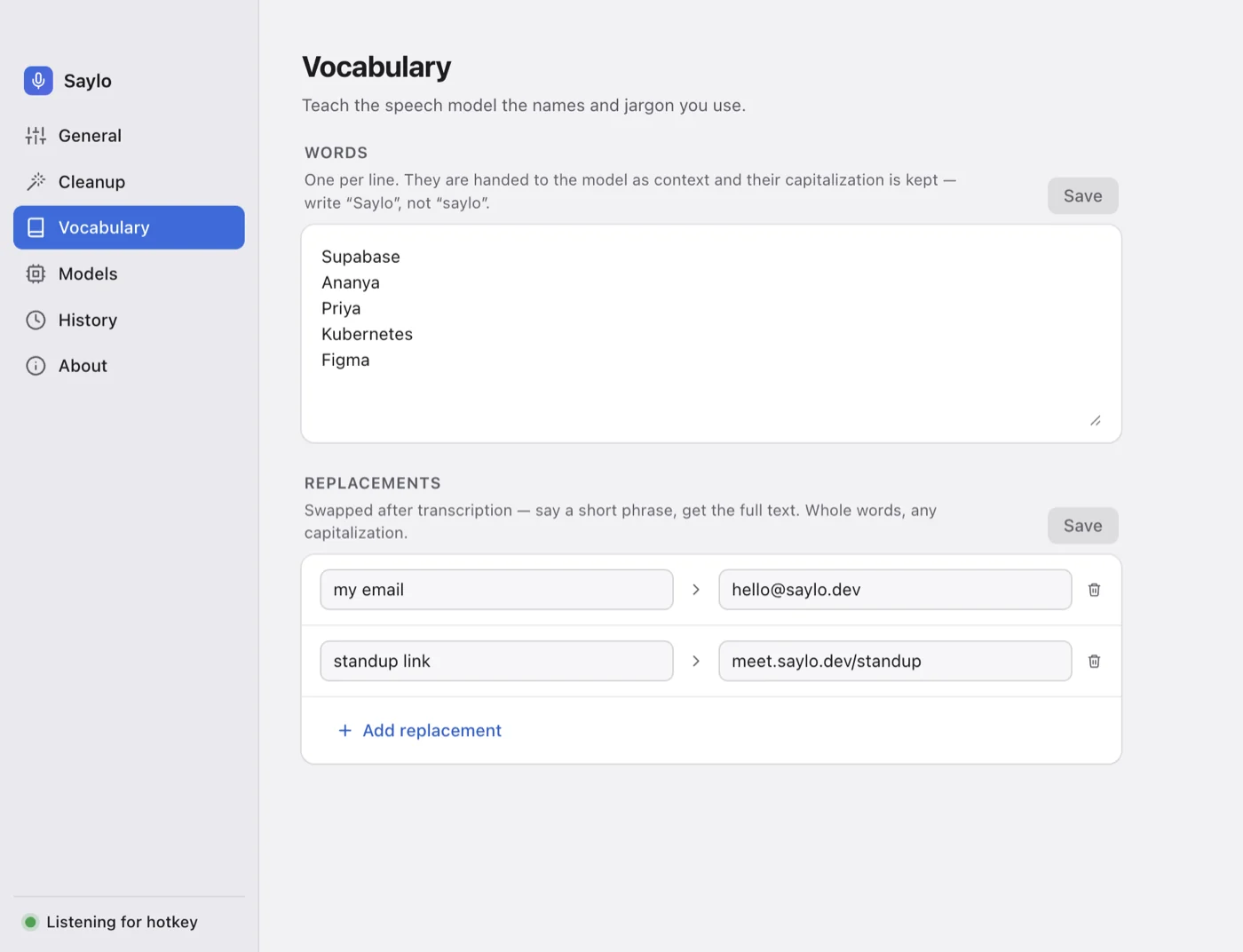
Add names and jargon once. Saylo hands them to the speech model and fixes near-misses — “Superbase” becomes “Supabase”.
English, Hindi, Spanish, French, German, Japanese, Chinese and more. Pick one, or let Saylo detect it.
Hold to talk, tap for hands-free, Esc to cancel. Or use Right ⌘, Right Control, F5 or F6.
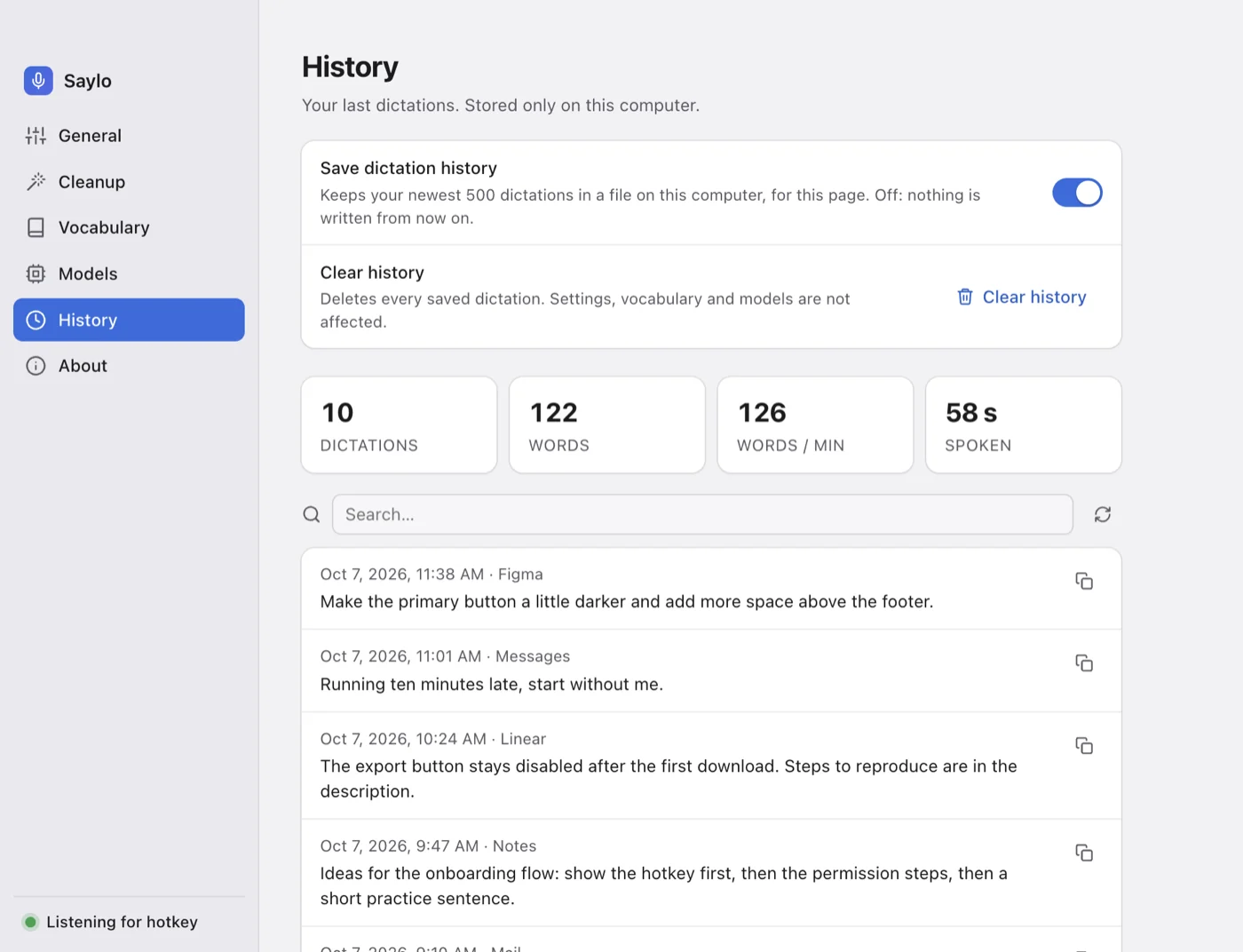
Find and copy earlier dictations, with your words per minute. Kept in a file on your computer — or switched off.
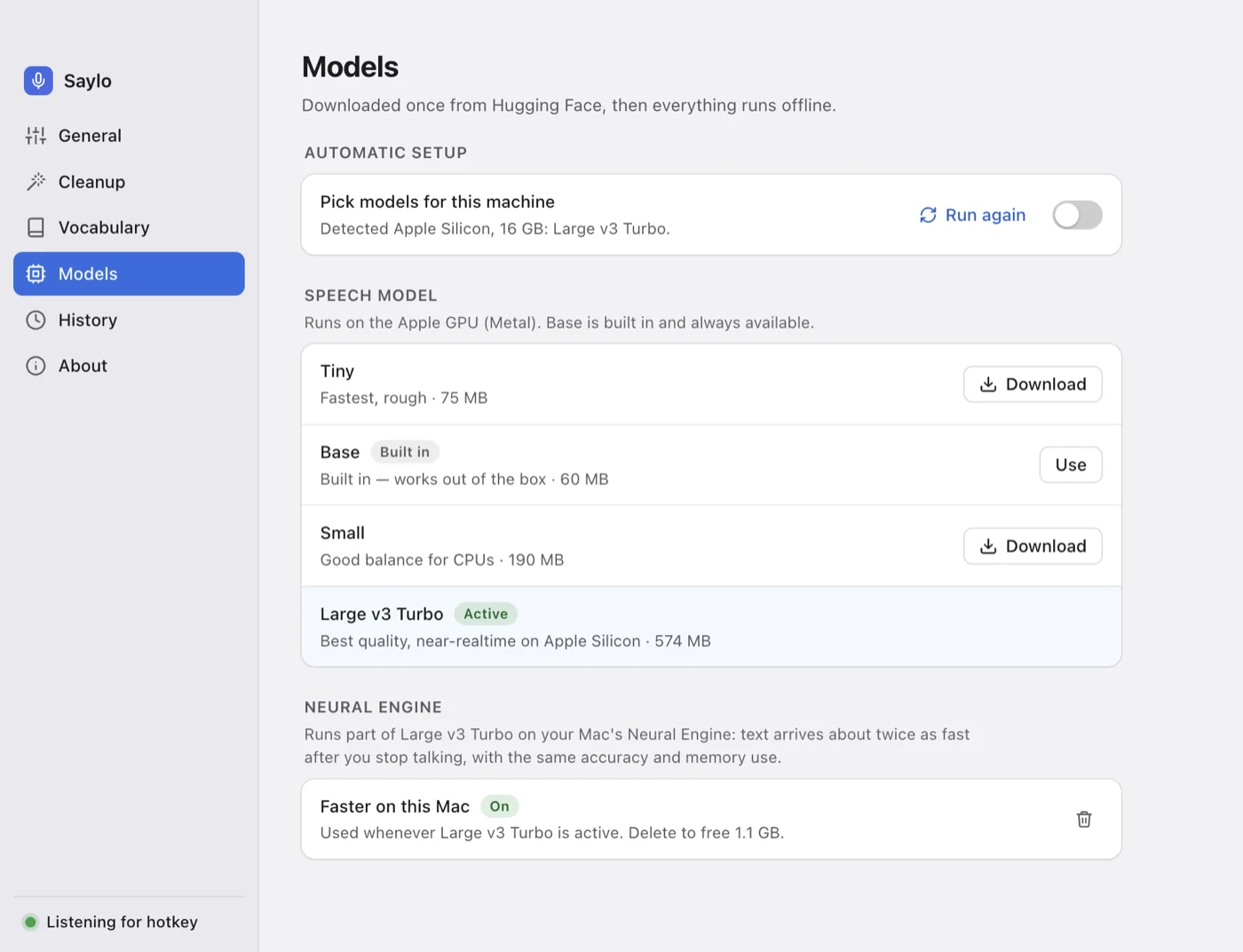
A speech model is built in, so the first press works. Saylo then fetches a better one for your machine in the background.
Models unload after a few quiet minutes and load again on your next dictation. Silence is skipped before transcription.
Dictation that formats a shell prompt like an email is worse than none. Saylo checks what’s in front before it types.
One switch turns app-awareness off.
can you add a loading spinner to the settings pageSaylo with sample dictations.
Saylo makes only three kinds of network request, and none carries anything about you: downloading a speech model, checking for a new version, and downloading it. Updates can be switched off. Turn Wi-Fi off and keep dictating.
127.0.0.1 only — nothing is exposedOn first launch Saylo checks your processor and memory, picks the speech model that fits and downloads it in the background while you dictate with the built-in one.
| Speech model | Size | Best for | Quality |
|---|---|---|---|
| Base Built in | 60 MB | Ships inside the app — works before you download anything | |
| Small | 190 MB | Chosen on Windows and Intel Macs — runs on the CPU | |
| Large v3 Turbo Recommended | 574 MB | Apple Silicon — near-realtime on the GPU | |
| + Neural Engine Optional | +1.1 GB | Apple Silicon with Large v3 Turbo — text about twice as fast after you stop talking, same accuracy |
Free, no account. A speech model is built into the installer, so you can dictate straight away.
Universal — Apple Silicon and Intel. macOS 12 or later. Signed and notarized by Apple.
Download for MacSaylo updates itself: new versions download in the background and install when you’re not dictating.
64-bit installer for Windows 10 and 11. Hold Right Alt to dictate.
Download for WindowsThe Windows installer isn’t code-signed yet, which is why SmartScreen asks.
Looking for the changelog? Release notes · Need help? Contact support
On Linux? A build exists but hasn’t been tested on real hardware yet — get in touch if you’d like to try it.
Yes. Turn Wi-Fi off and dictate — cleanup included. Saylo only goes online to download speech models, to check for a new version and to download it, and you can switch updates off. None of these sends anything about you.
No. A speech model is built into the installer, so the first press of the hotkey works. Saylo then picks a better model for your computer and switches over when it finishes downloading.
Any app you can type in: Mail, Slack, browsers, documents, code editors and terminals.
In terminals and code editors Saylo types your words exactly, with no capitals or paragraph breaks added. It’s best for prose — messages, prompts and comments. Spoken commands can be misheard (“git” often comes out as “get”), so type exact syntax yourself.
With Large v3 Turbo, very good for clear speech in supported languages. Choosing your language in Settings is more accurate and faster than auto-detect, and adding names and jargon to your vocabulary gets them spelled right.
To notice the hotkey while another app is in front, and to type the result into that app. Saylo only listens for the key you chose.
Yes. Saylo is signed with an Apple Developer ID and notarized by Apple, so it opens without an “unidentified developer” warning. The Windows installer isn’t code-signed yet, which is why SmartScreen asks.
A Mac running macOS 12 or later, or a 64-bit Windows 10/11 PC. Apple Silicon Macs use the GPU and can use the Neural Engine. Intel Macs and Windows use all CPU cores with a smaller model.
Yes: Right Option/Alt, Right Command/Windows, Right Control, F5 or F6. Hold to talk, tap for hands-free, Esc to cancel.
Only in a file on your computer, so you can search it and copy earlier dictations. You can clear it or switch history off. Nothing is synced or uploaded.
There’s no account, no licence check and no server to bill you from, so nothing can be switched on later for the version you’ve installed. Future versions may be paid; the build you download keeps working offline.

Free, no account, and dictating within a minute of the download finishing.
Download Saylo